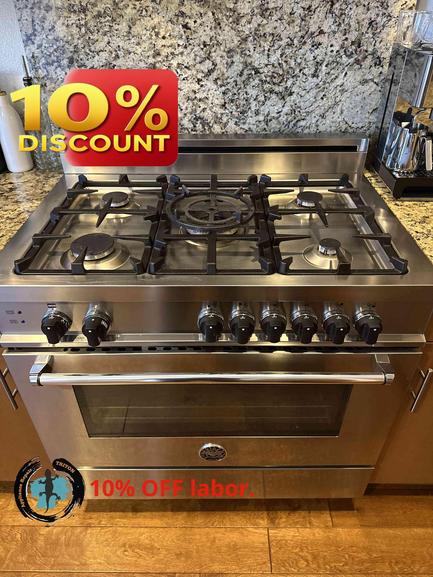
You rely on your Wolf stove or oven for consistent cooking results, so when the burner controls stop working, it can throw dinner plans and routines way off course. If you’re in San Francisco and your Wolf appliance suddenly won’t respond, knowing what to check first can help you get back on track—or save you from a bigger headache down the line.
At Triton Home Services, we’ve helped hundreds of Bay Area homeowners with Wolf appliance repairs. Here’s what our experienced appliance technicians recommend you check first before requesting a professional service call.
1. Confirm Power to the Stove or Oven
Sounds simple, but it’s often overlooked. Wolf appliances require a stable electrical supply. If none of the burner controls work, or your oven seems unresponsive, check your kitchen’s circuit breaker panel. Has the breaker tripped? Gently reset it. Still nothing? Try plugging another device (like a lamp) into the same outlet, if possible. Some built-in ovens or ranges have dedicated circuits, so it’s worth inspecting the power at the source.
2. Child Lock or Control Lock Settings
Wolf stoves and ovens often have a safety feature that locks out the controls to prevent accidental activation—especially important in busy kitchens with kids. These settings might be engaged without you realizing it.
Consult your model’s manual to see how to disable the lock. If you don’t have your manual, you can usually find the instructions on Wolf’s website by searching by model number.
3. Inspect for Obvious Dirt or Moisture
Spilled liquids, greasy residue, or even a cleaning cloth left on the touch controls or knobs can cause them to be unresponsive. Gently wipe the controls with a soft, dry cloth and make sure everything’s dry. If you see heavy buildup or residue, clean with mild soap and water (appliance unplugged) and allow to dry completely before trying again.
4. Knobs or Touchpads Not Responding Individually
Is it just one burner or control that’s not working, but the others are fine? Sometimes a knob might not be seated properly, or a touchpad button could be sticky. Remove the affected knob and reseat it firmly. If it’s a touchpad, try gently pressing other areas—sometimes a quick clean and dry can revive a stuck button.
5. Gas Supply Issues (For Gas Models)
If your Wolf stove is gas-powered, make sure the gas shutoff valve is open and you have a steady supply. If the burners don’t click or you smell gas, stop immediately and call a professional—this isn’t something to troubleshoot further yourself.
6. Flickering or Flashing Display Codes
Wolf ovens or ranges may display error codes when there’s an issue. Blinking lights or error messages often indicate internal sensor or electronic problems. Make note of any codes and, if possible, reset the unit by turning it off at the breaker for 60 seconds, then turning it back on. If the problem persists, describe the code to your repair technician for faster diagnosis.
When to Call for Professional Help
If you’ve covered these basics and your Wolf appliance’s burner controls are still unresponsive—or if you have any doubts about safely inspecting electrical or gas appliances—it’s time to call in help. Short circuits, failed control boards, and deeper wiring issues almost always require specialized tools and know-how.
Triton Home Services is proud to offer professional, experienced Wolf stove and oven repairs throughout San Francisco and the Bay Area. Our $89 appliance service call is waived with approved repair, and we stand behind our work with a 180-day labor warranty.
Book your service today at https://triton-home-services.com or give us a call at (888) 993-5699. We’re ready to help restore your kitchen to full working order—without the hassle.