
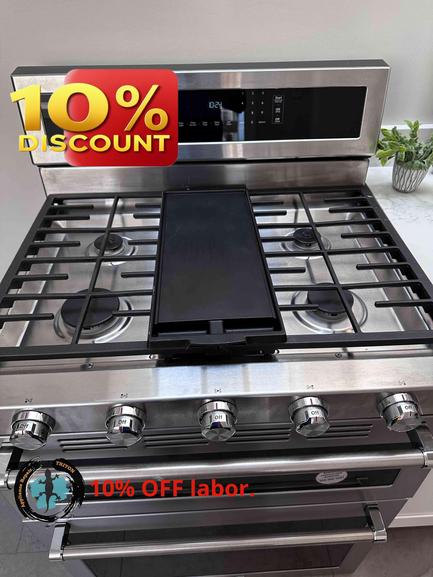
If you’ve recently found your KitchenAid gas stove just clicking but not lighting, you’re not alone. At Triton HVAC & Appliance Repair, we often hear from San Mateo homeowners dealing with that repetitive clicking sound—turn the knob, hear the clicks, but see no flame. It’s a common issue, and while sometimes it’s a simple DIY fix, other times it signals a deeper appliance problem.
Today, we’ll walk you through the first checks we’d recommend before you book professional service. This guide is tailored for San Mateo-area homes, considering our local climate and cooking habits. Need help? Book online at triton-home-services.com or call (888) 993-5699.
What Causes That Clicking Sound? When you turn the burner knob, the stove’s igniter sends electric sparks to light the gas. If it keeps clicking without lighting, your KitchenAid stove is either not getting gas at the burner or the spark isn’t igniting the gas. Sometimes, moisture or debris in the burner area can be the culprit.
Check 1: Is the Burner Cap in Place? After a cleaning session or a spill, it’s easy to knock a burner cap a bit off-center. Carefully lift the grate and make sure the burner cap is sitting flat and snugly on the burner base. An off-kilter cap can stop the gas and spark from meeting properly.
Check 2: Look for Moisture or Spills Cooking overflows or even overly enthusiastic cleaning can leave moisture under the burner cap or in the igniter area. This can keep your stove from lighting and cause excessive clicking. Take off the burner cap and let everything air dry for an hour before trying again. If the igniter is visibly wet, a gentle pat with a dry paper towel helps.
Check 3: Clean Debris from the Burner and Igniter Food crumbs, grease, or cleaning products can block gas flow or the igniter tip. Make sure the area is clean. Use a toothbrush or soft cloth to remove any residue around the igniter (the little metal nub or prong) and the burner holes.
Check 4: Check for Gas Flow Confirm that your range’s gas supply is open. If you recently had a gas shut-off—or moved the unit for cleaning—the valve might be closed. You should hear a faint hiss or smell faint gas briefly as you attempt to light the burner. If you don’t, do NOT attempt further repairs—instead, contact a professional immediately.
Check 5: Try Another Burner Does the issue happen on just one burner, or all burners? If it’s only one, the problem is likely isolated to a single igniter or burner component. If it’s all burners, you may have a larger issue with gas supply, your appliance’s ignition system, or power to the stove.
When to Call a KitchenAid Stove Pro in San Mateo If none of these steps restore normal lighting, it’s time for experienced appliance repair. Gas systems and electrical igniters can be dangerous and are best handled by Triton HVAC & Appliance Repair pros. With our $89 service call (waived with approved repair) and 180-day labor warranty, you’ll get clarity and lasting repairs—plus expertise with KitchenAid appliances. And if your issue turns out to be in the gas lines or control board, our technicians are equipped to safely diagnose and fix it.
Don’t let a silent stovetop disrupt meal plans in San Mateo! Book service today at triton-home-services.com or call (888) 993-5699 and a local Triton HVAC & Appliance Repair expert will get your KitchenAid range working—and clicking—for the right reasons.