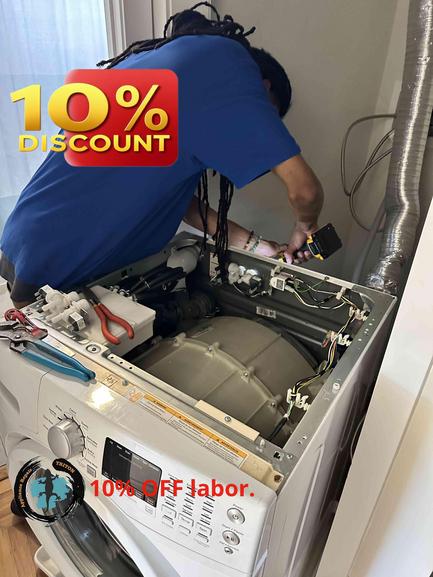
It’s one of the most frustrating appliance issues: you load up your Samsung washer, it fills with water, but then—nothing. The cycle never actually begins. If you're experiencing this in your San Bruno home, you’re not alone. At Triton HVAC & Appliance Repair, we’ve helped many Bay Area residents troubleshoot this exact washer problem. Here’s a practical, step-by-step guide to what you should check first—before you call in the pros.
Why Does My Samsung Washer Fill Up But Not Start Washing?
Most washers operate by following a sequence: door locks, water fills, the drum spins, and the cycle begins. But if the washer fills and then sits idle, something is interrupting that chain of operations. Common culprits are safety interlocks, interruptions in power, or electronic signals not getting through.
What to Inspect Before Calling for Help
1. Check the Door Lock Samsung washers will not start a wash cycle unless the door or lid is completely locked. Give the door a firm push to ensure it's latched. Listen for a solid click when closing and try starting the machine again. Faulty door latch sensors are a common cause of this issue. If the display flashes an error, note it; the error code can often tell you if the lock is the specific issue.
2. Power Interruptions and Control Board Resets Modern washers sometimes experience small power interruptions that can freeze or confuse the electronic controls. Try unplugging your washer for about five minutes, then plug it back in. This resets the control board and can often resolve small electronic glitches that prevent the cycle from starting.
3. Filter and Drain Check While a washer that won’t drain usually won’t fill either, a partially blocked filter or problem in the drain hose can cause sensors to stop the machine before the cycle begins. Locate and clean the filter (usually accessible near the bottom front of the washer). Make sure the drain hose is not kinked or blocked—this is especially important if your laundry area tends to accumulate lint and debris.
4. Cycle Selection and Settings Double-check that you’ve selected a valid cycle and settings. On some Samsung models, selecting a delayed start, child lock feature, or a specific custom program could interfere with immediate operation. Reset all settings, disable any special features, and try again.
5. Inspect Water Supply Hoses Although your washer is filling, weak or inconsistent water flow (a partially clogged hose or valve) might not be enough to satisfy the washer’s internal sensors. Check the water inlet valves on both hoses, and ensure they’re open and supply water at normal pressure.
6. Error Codes Samsung washers are designed to display error codes if something’s wrong. If your washer flashes any codes, quickly reference your user manual. Codes related to door lock, water level, or sensor errors can direct you towards what needs professional attention.
When to Contact an Experienced Repair Company If the above steps don’t resolve the problem, it’s time to contact Triton HVAC & Appliance Repair for an expert diagnosis. Some causes—such as faulty door lock assemblies, pressure switches, or malfunctioning control boards—require proper tools and experience to repair safely.
Ready to Schedule Service? Our local, experienced team is here to help you get back to laundry day as quickly as possible. With transparent pricing, a 180-day warranty on labor for all repairs, and a waived service call fee if you approve your repair, you can trust in reliable service from technicians who care about your home.
Get started by booking an appointment at https://triton-home-services.com or call us at (888) 993-5699. We’re proud to serve San Bruno and the entire Bay Area with prompt, professional appliance repairs you can count on.
Remember, you don’t need to struggle with laundry breakdowns alone—rely on Triton HVAC & Appliance Repair whenever your washer, dryer, or HVAC system needs a professional touch.