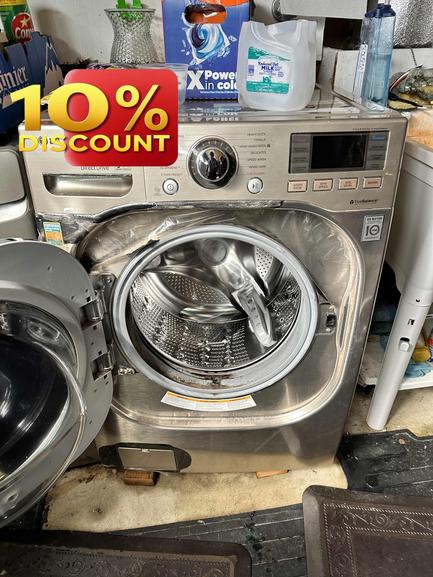
Is your LG washer and dryer combo suddenly ignoring your button presses or showing a blank display? Nothing feels more frustrating than a silent control panel when it’s time to do laundry—especially here in Brisbane, where keeping household routines on track matters.
At Triton Home Services, we’ve helped dozens of Bay Area families get their LG washer-dryer combos up and running again. If your unit’s control panel isn’t responding, there are some steps you can work through before booking a repair. Here’s what you should check first, and how to know when it’s time to call a local, experienced appliance pro.
1. Double-Check Power and Settings Before worrying about a major fault, confirm that the combo unit is actually receiving power. Sometimes a tripped breaker, loose plug, or power outage is the root of the problem. Start by: - Making sure the appliance is plugged in securely - Testing the outlet with another device (like a lamp) - Inspecting your breaker box for tripped switches
Try pressing and holding the POWER button for at least 5 seconds—some models require this to “wake up” or reset the control board.
2. Look for Display or Error Codes If you see lights or digital numbers, note any error code shown. LG washer-dryer combos sometimes flash specific two-letter codes (like “TE” or “PF”) to indicate an issue. While some codes mean a deeper repair, others can be resolved with a simple reset. Refer to your model’s manual (or LG’s support site) to decode the message.
3. Unplug and Reset the Washer-Dryer Like many smart appliances, LG combos can develop software hiccups that freeze the control panel. To safely reset your unit: - Unplug the appliance for one full minute - Press and hold the POWER or START button for 5 seconds while unplugged (if possible) - Plug it back in and try to power on
This can sometimes clear minor glitches on the control board and restore panel response.
4. Inspect the Child Lock Feature Almost all LG washer-dryers have a safety Child Lock feature. When activated, it disables all buttons except the power control to prevent accidental usage. Look for the little lock icon on your display: - To deactivate, press and hold the Child Lock button, or the two keys indicated by the lock symbol, for 3–5 seconds. Check your manual for the correct combination. - If Child Lock is on, the panel will ignore most commands no matter what.
5. Evaluate Recent Power Surges or Storms Were there recent outages or big electrical fluctuations in the area? Sudden surges can trip safety circuits inside the control board, making the appliance unresponsive. If unplugging and resetting doesn’t help, it’s smart to use the unit on a surge protector in the future—especially in older homes in Brisbane, 94005.
6. Examine for Moisture or Obvious Damage A detached or cracked control panel—or signs of leaking water, soap, or condensation—can cause electrical faults. If you see any moisture behind the control area, avoid further use and contact pros for an inspection. Avoid pressing hard on the panel, as this can worsen issues.
When to Call the Pros If a reset doesn’t revive your LG laundry combo, or if the panel remains dark and completely unresponsive, there’s a high chance of a faulty control board, wire harness, or internal fuse. Diagnosing and safely replacing these components requires professional safety training and the right tools.
Triton Home Services: Local LG Appliance Experts Serving Brisbane and the broader San Francisco Bay Area, Triton Home Services is your local, experienced team for fast LG washer-dryer combo diagnostics and repairs. We back every appliance repair with a 180-day labor warranty, and our transparent service call—$89 for appliances, waived with approved repair—means you always know what to expect. No guesswork, no hassle.
Don’t wait for laundry days to pile up. If your LG control panel just won’t respond, book a convenient service online at https://triton-home-services.com or give us a call at (888) 993-5699. We’ll get your laundry routine humming again—quickly and professionally.